Use Lumi AI Reading Assistant to Chat with PDF
PDFelement has imported a smart PDF AI reading assistant named Lumi, powered by ChatGPT, which can help you seamlessly analyze the PDF content, comprehend your document, and summarize key information with ease.
01 Access Lumi AI Reading Assistant
02 Chat with PDF
03 Start a New Chat
04 Access Chat History
05 Change Settings
1. Access Lumi AI Reading Assistant
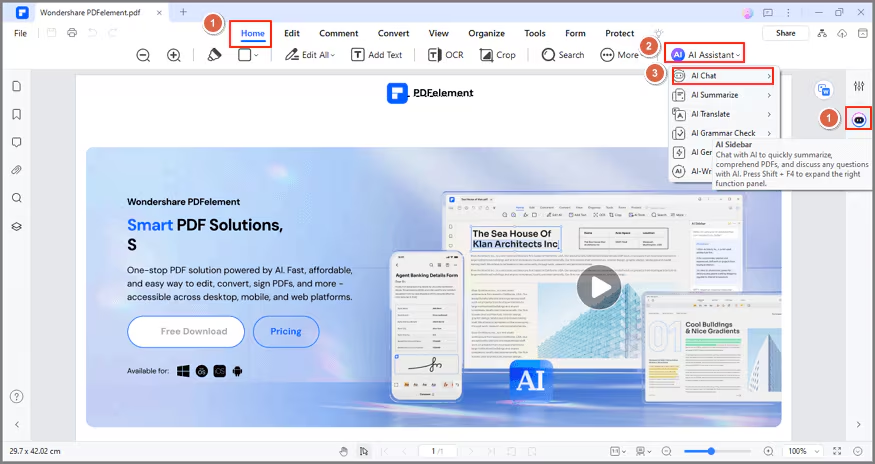
Access Lumi by clicking the "AI" icon on the interface's right side or selecting "AI Chat" from the "AI Assistant" button under the "Home" tab. Engage in a conversation with Lumi to gain knowledge and insights across various subjects.
2. Chat with PDF
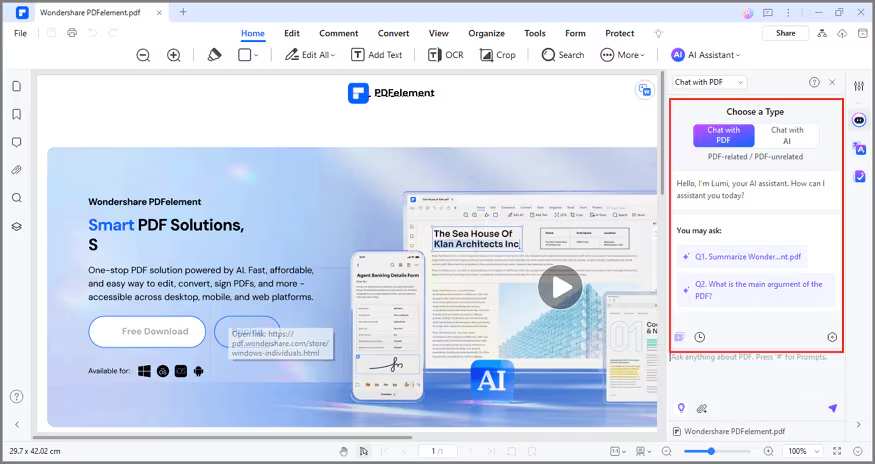
In addition to asking Lumi general questions, you can have a deeper exploration of your PDF by utilizing the "Chat with PDF" option within the AI Sidebar. By selecting this option, Lumi's responses will be tailored to the content of the current PDF document.
Lumi goes the extra mile by indicating the specific page number where it found the answer. This feature allows you to quickly locate and validate the information.
3. Start a New Chat
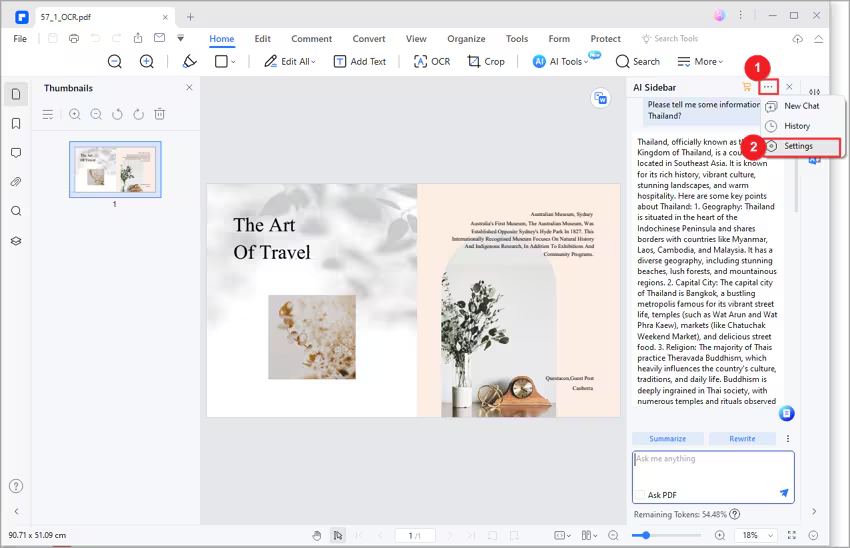
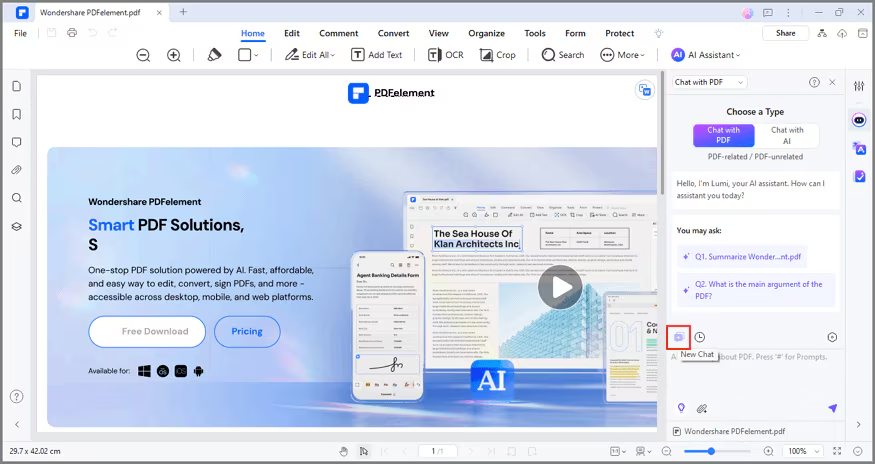
To initiate a fresh conversation with Lumi, select the "..." icon located at the top right corner of the AI Sidebar, and choose "New Chat."
4. Access Chat History
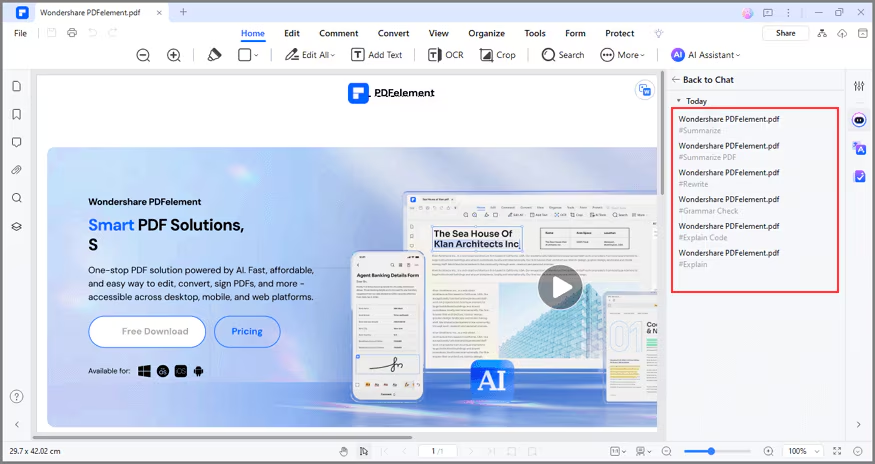
To review your interaction history with Lumi, click the "..." icon at the AI Sidebar's upper right corner and select "History." Easily navigate through past conversations for reference.
5. Change Settings
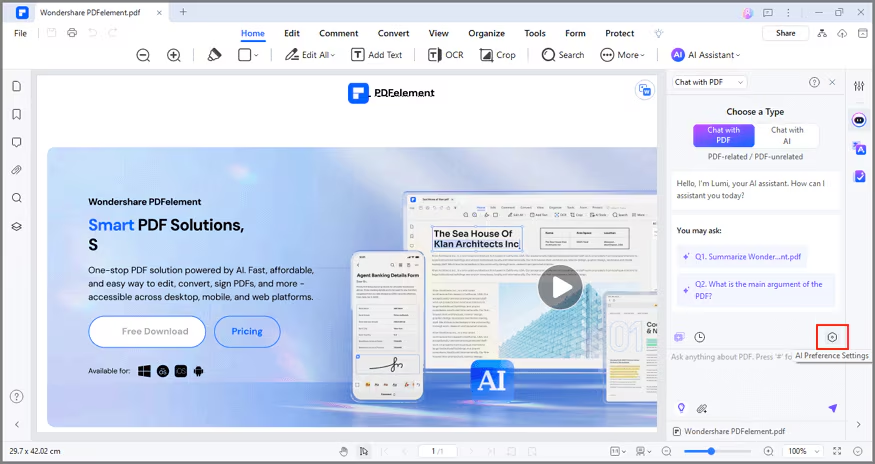
Tailor the Lumi AI reading assistant settings by clicking the "..." icon at the AI Sidebar's top right corner and choosing "Settings."
In the "AI preference settings" popup window:
- Response Language: Choose the output language; selecting "Default" prompts Lumi to respond in your input language.

- Response Tone: Adjust the output response tone to academic, empathic, simple, creative, poetic, professional, or humorous.
Related Industry: Customize the output response for specific industries such as legal, financial services, creative services, healthcare, construction, manufacturing, government, education, and IT services.
