How to Read Aloud PDF
Wondershare PDFelement includes an accessibility feature that can read a PDF aloud, allowing you to multitask while studying. It also assists visually impaired individuals. The AI can read text in both English and Chinese.
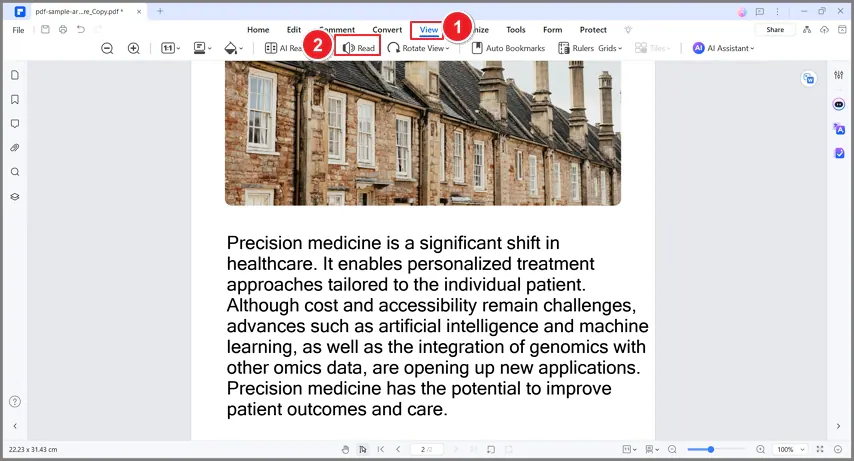
Open a PDF with Wondershare PDFelement. Go to “View” and click “Read.” The AI could read the document from beginning to the end or just a single page, based on your preference.
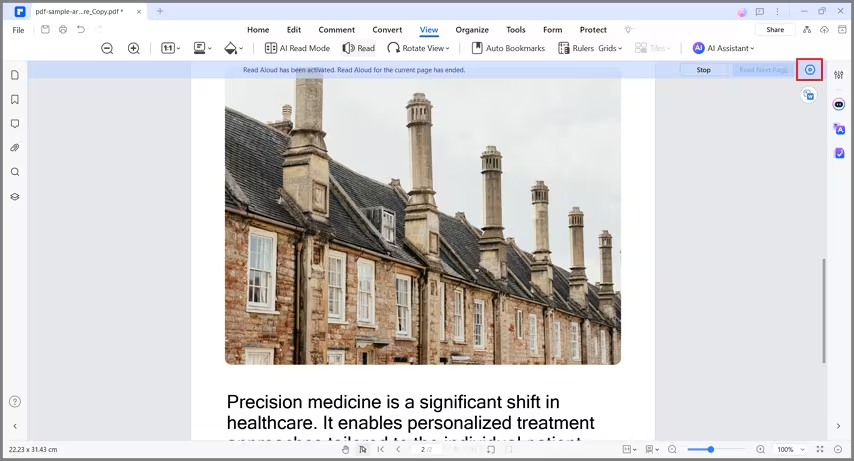
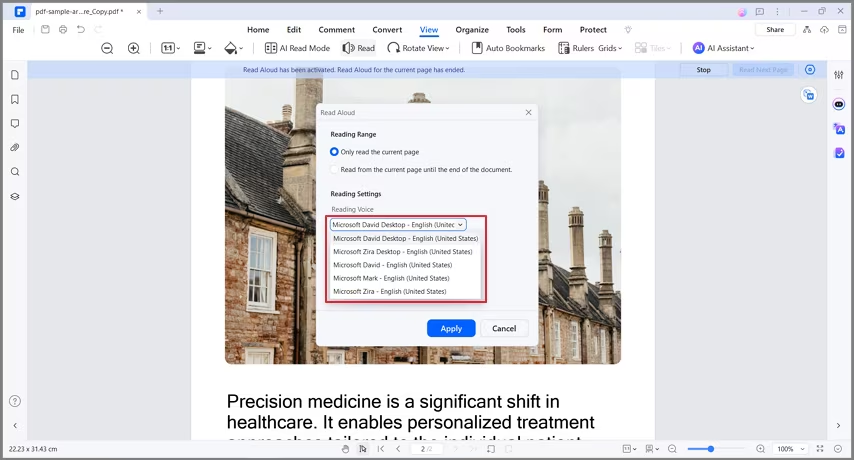
- You can adjust the settings to make the voice louder or quieter or select the page range for the AI to read. To do so, click the Gear icon on the top right.
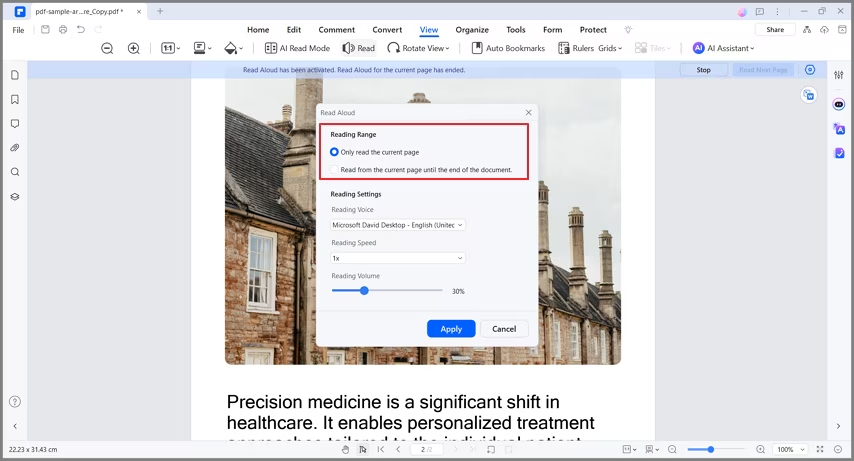
- In the Reading Range section, choose whether you want the AI to read the current page only or the whole PDF.
- You can change the AI's voice in the Reading Settings section.
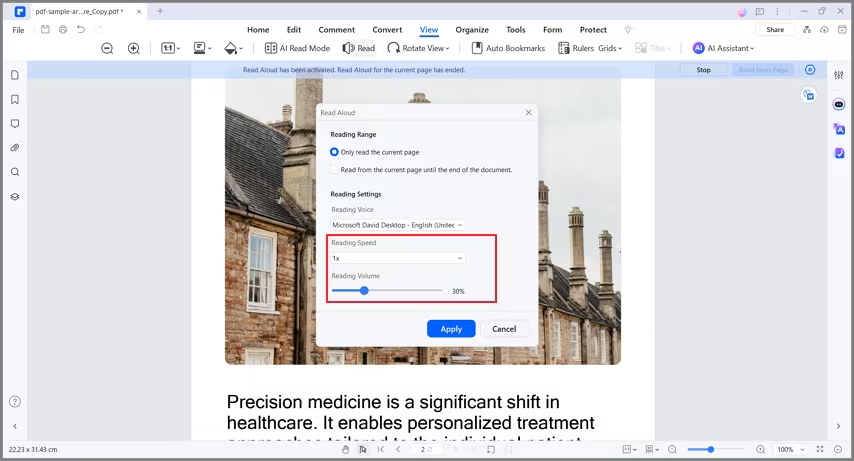
- Adjust the Reading Speed and Reading Volume to find a setting that’s comfortable for you.