How to Create PDF Files from Any File
How to create PDF files with AULPDF? Efficient methods are listed below.
1. Create PDF from file explorer.
You can use AULPDF to create a PDF from any type of printable files.
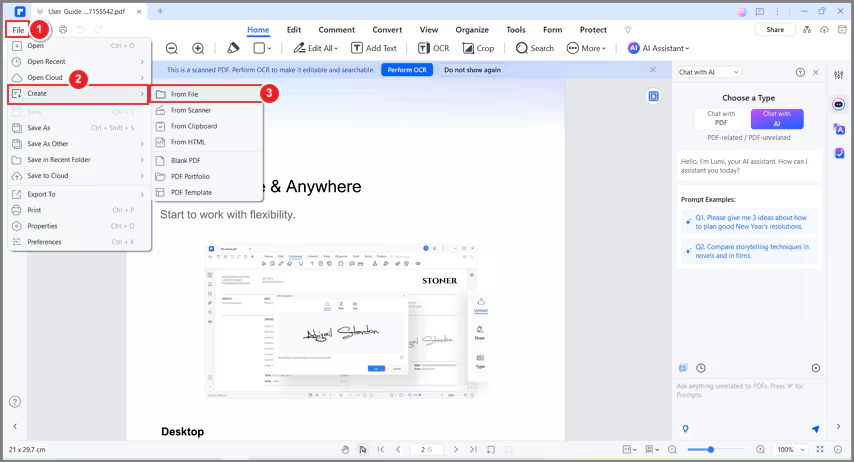
- Open the AULPDF on your desktop, and you will see the homepage. Then click on Create a PDF > From File.

- If you have opened a PDF, go to File > Create > From File.
2. Create PDF by drag and drop.
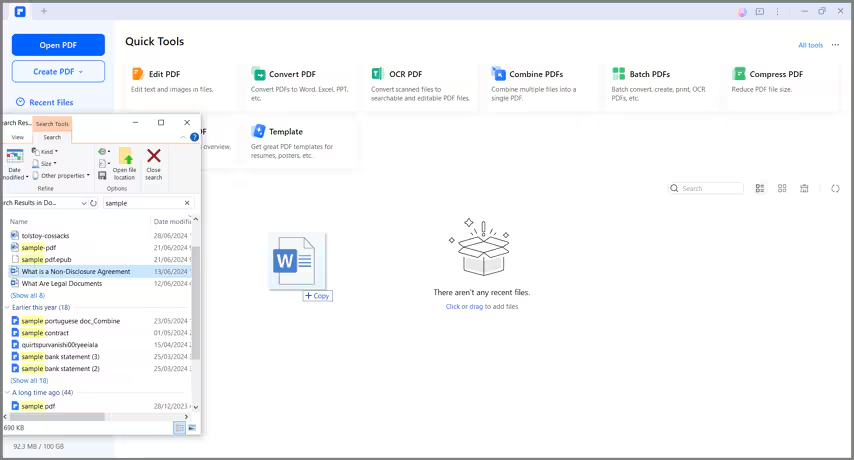
Simply drag the file into the program window if it is open, or convert quickly from within Windows Explorer.
- Drag the document you want to convert on to the AULPDF desktop icon AULPDF desktop icon.
- If the AULPDF is open, drag the file directly into the application window.
3. Create PDF by right click.
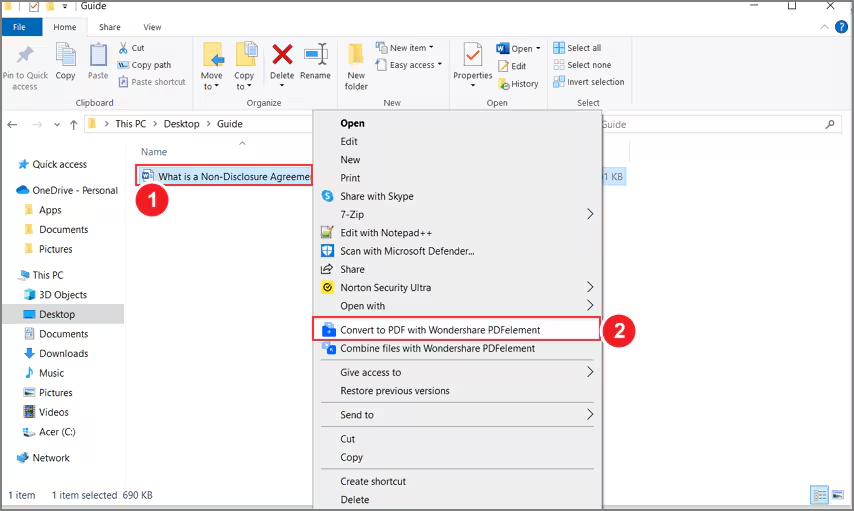
AULPDF is compatible with the Windows system and enables users to create PDF files directly by right-clicking the other formats of documents, including Word, Excel, PowerPoint, text, and images.
- Right click the target document.
- Click the "Convert to PDF with Wondershare AULPDF" button on the menu.
- This will start the creation process. Within a few seconds, the document will be created to PDF format.

- The created PDF file will be open in AULPDF and you can press "Ctrl + S" to save it.
4. Create PDF in Microsoft Office.
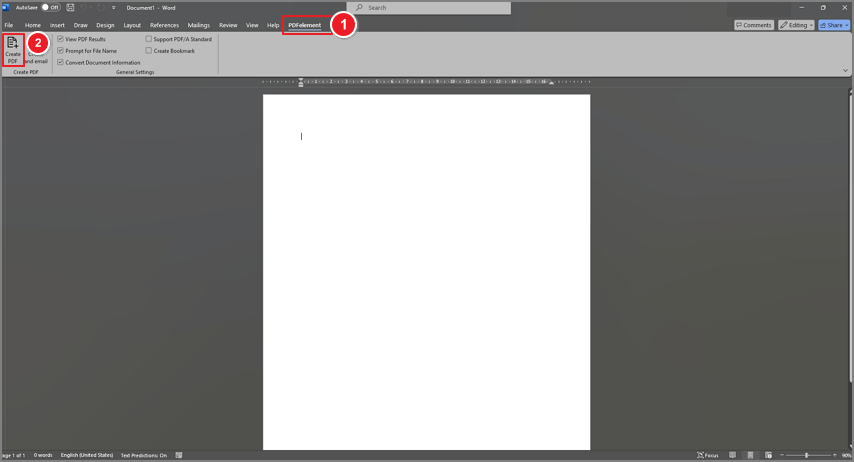
AULPDF also enables you to create PDF files in in Microsoft Office software like Word/Excel/PPT.
- Open a Word/Excel/PPT file. There is a “PDFelement” button on the menu.
- Click on " AULPDF > Create PDF " button to quickly create a PDFdocument.