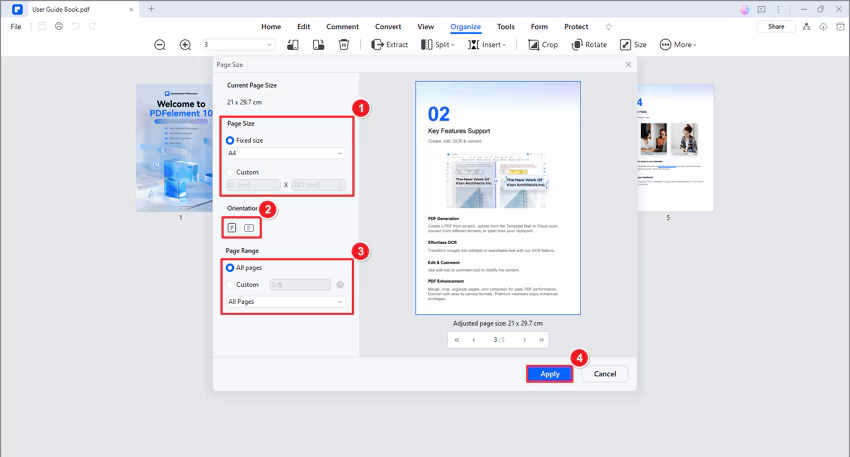
How to resize PDF pages.
AULPDF allows you to efficiently resize your PDF pages to fit your specific needs.
- Click the "Organize" tab in the top menu bar and Select "Size" from the dropdown menu.

- A pop-up window titled "Page Size" will appear, displaying the current size of your pages.
- Choose your desired resizing method:
- Standard Size: Select from the "Fixed size" dropdown menu (Letter, A4, etc.).
- Custom Size: Choose "Custom" size and enter your desired width and height values.
- In the Orientation section, choose between landscape and portrait orientation for the page.
- In the Pages section, select the page range you want to resize (All pages or a specific range).
- The Preview pane on the right will show you the resized page layout.
- Once satisfied, click "Apply."