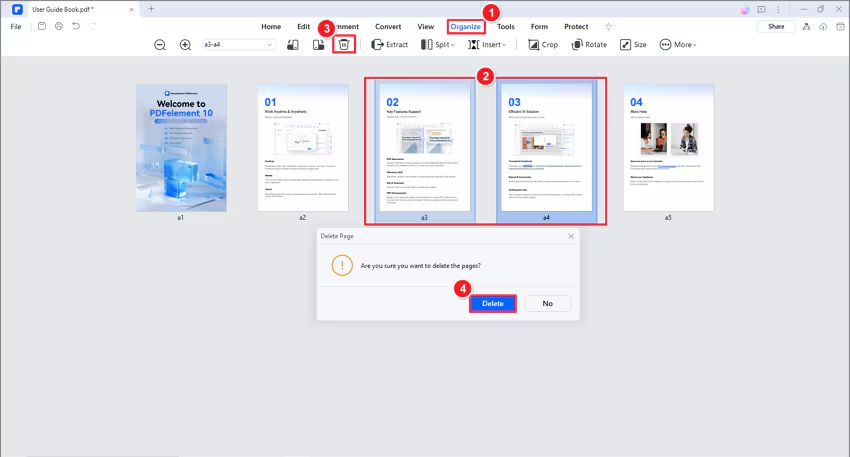
Click the page you want to delete in the left-side Thumbnail Panel, or press the Ctrl key and select multiple pages simultaneously, and then press the Delete key to remove the page.
Alternatively, you can hit the "Page" button, enter the page number in the box to select a page or click the page thumbnail directly, and then hit the "Delete" button to remove the page.
Keep pressing the Ctrl key and click multiple page thumbnails to select more than one page, then click the "Delete" button to delete them.
Click the "File" > "Save" or "Save As" button to save the changes.