How to batch convert PDF.
If you want to convert a batch of PDF files to files in the same format, you can use the batch process.
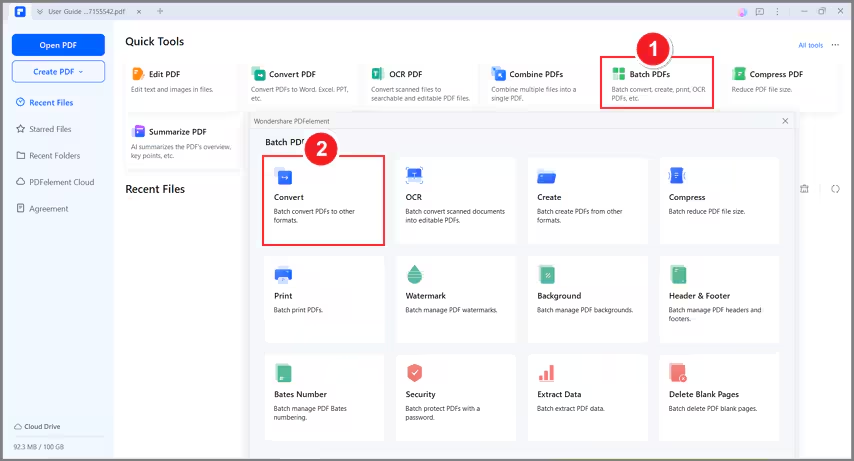
- After opening the program PDFelement, please click the "Batch PDFs" button. Next, select the "Convert" option in the pop-up window.
- Load multiple PDF files, select the output format as needed, and choose the output folder to save the converted files.
- Click the "Apply" button to begin the process. After conversion, you can go to the output folder to find the converted files.
Note:
The trial version can only batch proceed with up to 3 files with a total file size limit of 20 MB.