How to add stamp in PDF.
The Stamp tools in AULPDF are a group of advanced tools that enable you to stamp content into a PDF document. AULPDF supports image stamps with various image formats (jpeg, png, bmp, etc). You can either use our predefined stamps or create your own stamps. Stamping PDF files is a very useful feature especially when you need to give reviews or explain the document’s status or sensitivity.
Index
- Step 1 Stamp a PDF
- Step 2 Create/manage stamps
1. Stamp a PDF.
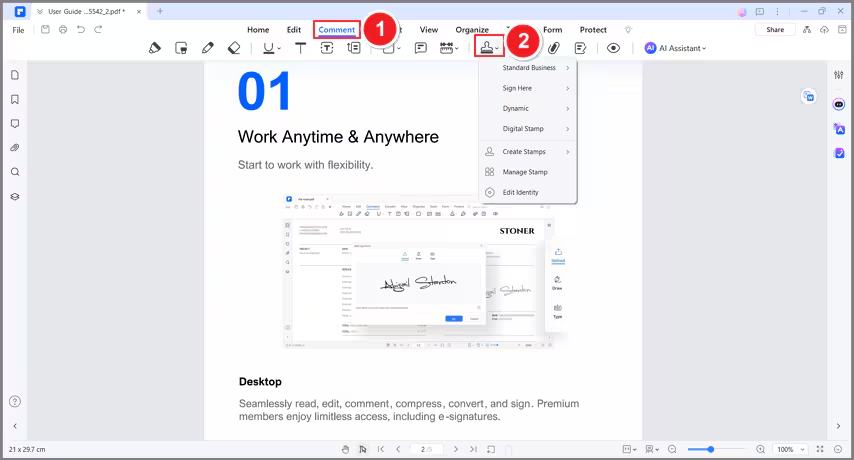
Click the "Comment" > "Stamps" button, and click one predefined stamp from the types of "Standard Business", "Sign Here", "Dynamic", and "Digital stamps", then click on the position where you want to place it.
2. Create/manage stamps.
You can create custom image stamps, and manage all your created stamps.
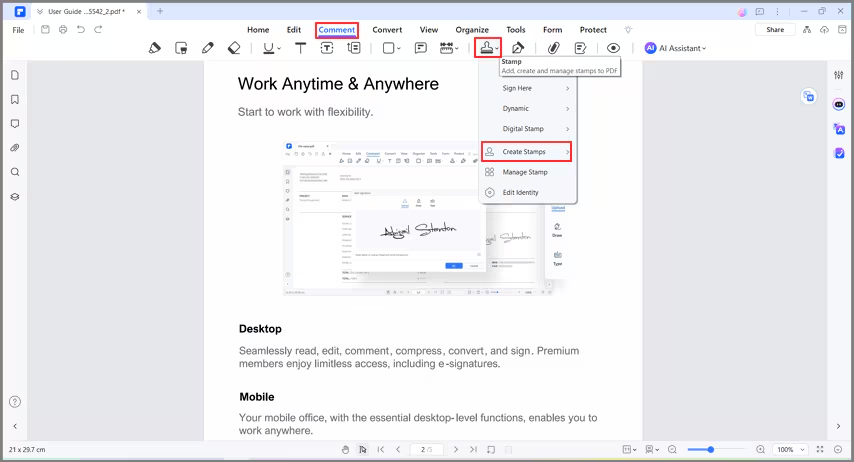
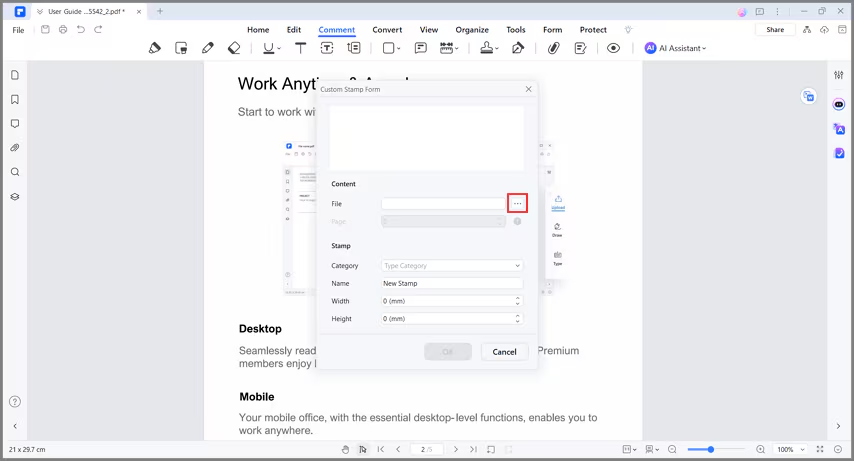
Click the "Comment" > "Create Stamps" button, click the "Select File" button to browse the picture as you want to, you can also name the stamp. Then click the "OK" button, it will be added in the Custom type under the "Stamp" button.