Print multiple PDFs at once
After you edit or annotate your files, you may need to print your digital works into reality. With PDFelement, you can easily set print properties to print a single PDF or print multiple PDFs at once.
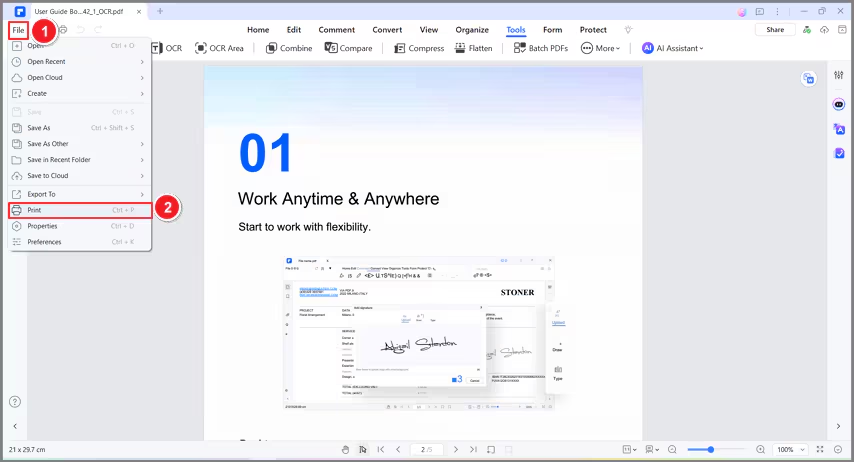
To print a single file, you can go to "File" > "Print" or use the shortcut Ctrl+P to print.
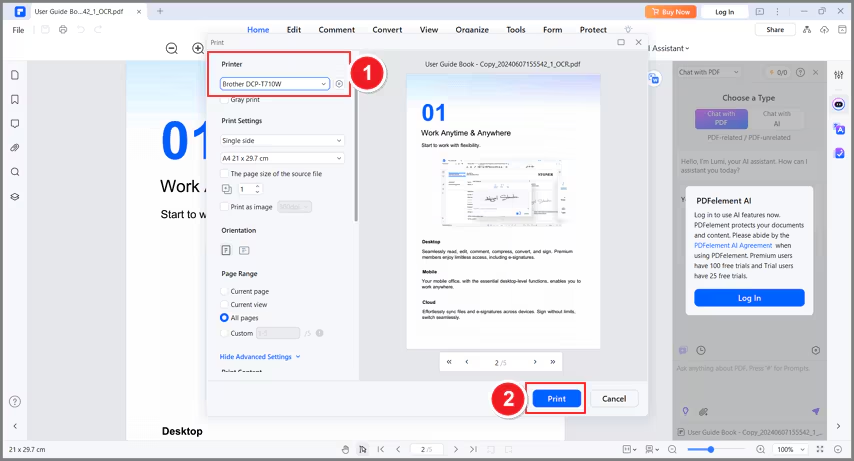
Before printing, you can set the parameters of the printer, there are "Print Settings", "Orientation", "Page Range", "Print Content", "Print Mode" for you to set for your need.
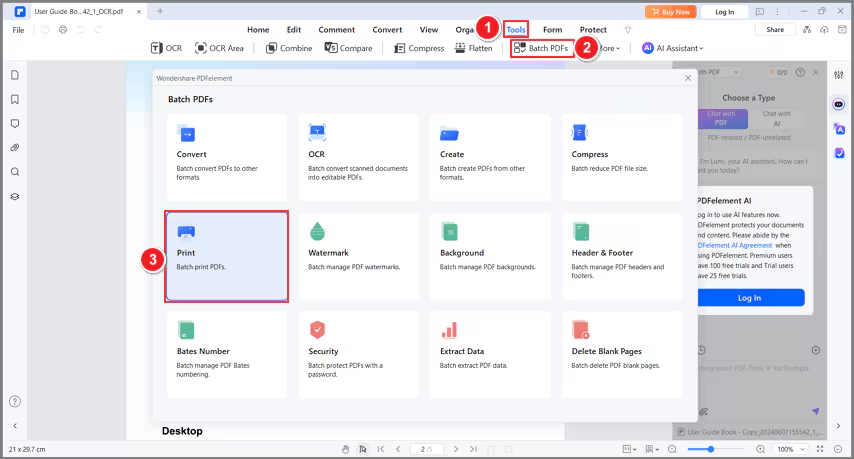
If you want to print multiple PDFs at once, you can directly go to "Tools" > "Batch PDFs" > "Print". Then you can select more than one PDF to print in batch.