How to compress PDF.
If you need to reduce the size of your PDF files, AULPDF provides a straightforward compression feature. Follow these steps to optimize your PDFs effortlessly:
- Click on "Tool" and select the "Compress" button. Pick the desired level of optimization for your PDF.
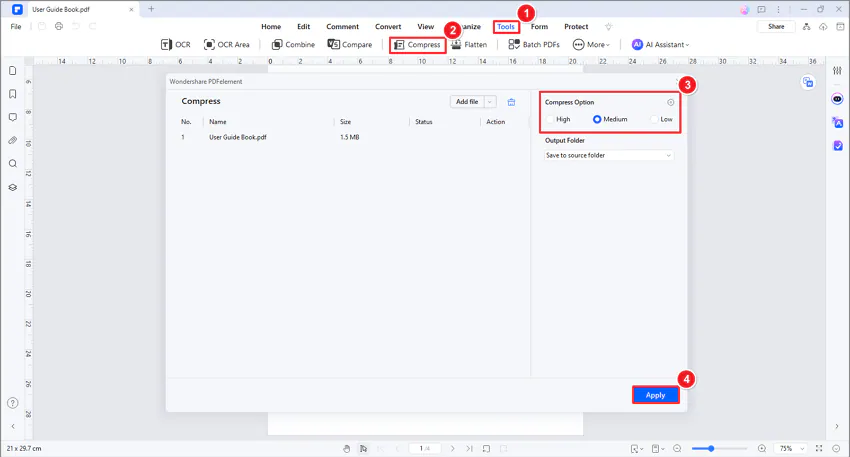
- Click the Settings icon to access advanced customization options.
- In the Custom Settings window, adjust image resolution, select specific content for compression or discard, and click "OK" to apply settings.
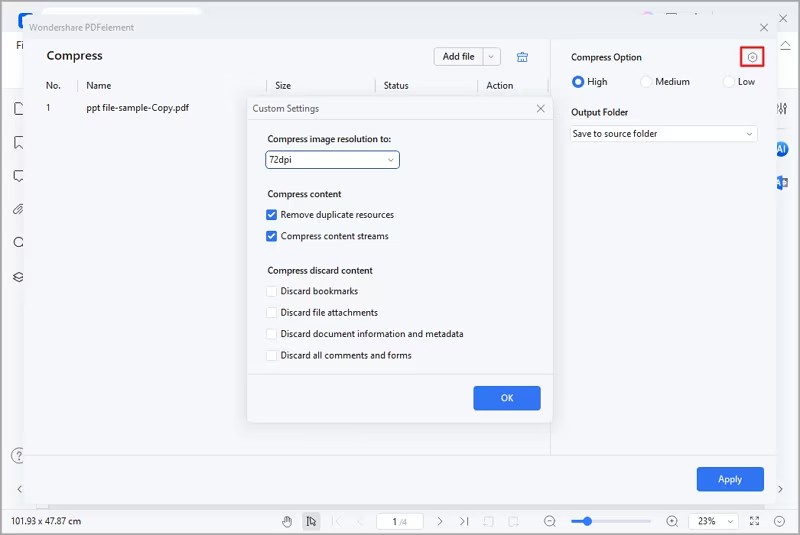
- Click "Apply" to initiate the compression process.
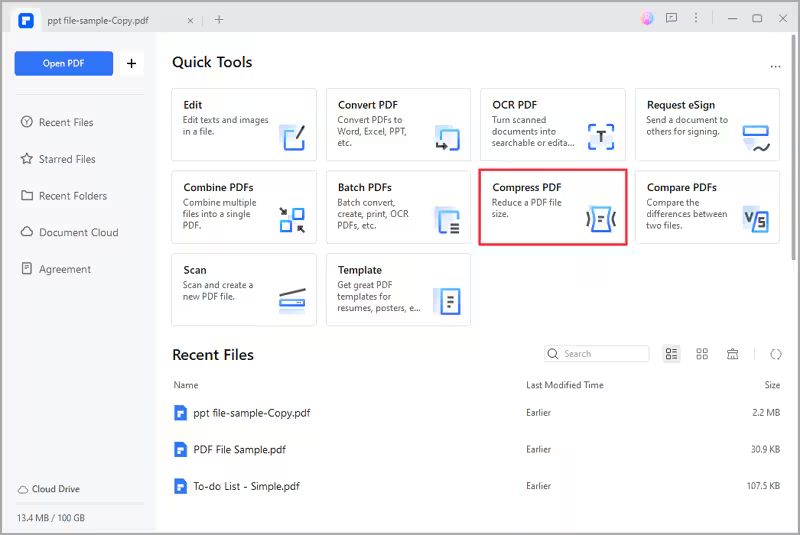
- Alternatively, find the Compress tool in the Quick Tool tab on the Homepage.