How to do word count and page count in PDF
AULPDF simplifies the process of counting words and pages in your PDF document with just one click.
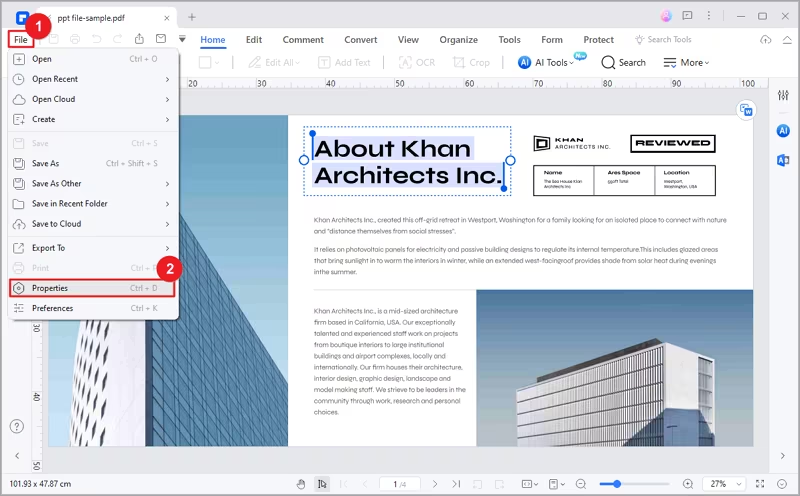
- Open your target PDF file in AULPDF on your device.
- Click the "File" button and choose the "Properties" option from the drop-down list.
Word Count in PDF
- In the popup Properties window, go to the "Description" tab.
- Locate the "Word" option and click "Count."

- AULPDF will swiftly calculate the number of words in your PDF document.
- If you make any changes to the text in the PDF and want to re-perform word count, click the "Count" button again.

Page Count in PDF
- In the same Properties window, find the "Page" option.
- The number of pages will be displayed here.
