How to Download and Install AULPDF
1. System Requirement
If you want to install AULPDF, the minimum required specifications to run Wondershare AULPDF Professional are as follows:
- Operating System: Windows 10/8.1/8/7/Vista
- Processor: 1Ghz Processor or above
- RAM: 512 MB RAM or above
- Available Hard Drive Space: 500 MB or above
Note:
See more details please visit: https://pdf.wondershare.com/tech-spec.html
2. Download AULPDF on Windows Computer
- Visit https://pdf.wondershare.com/ to download the trial version of AULPDF.
- Double click the executable installation file and follow the on-screen instructions to finish the installation.
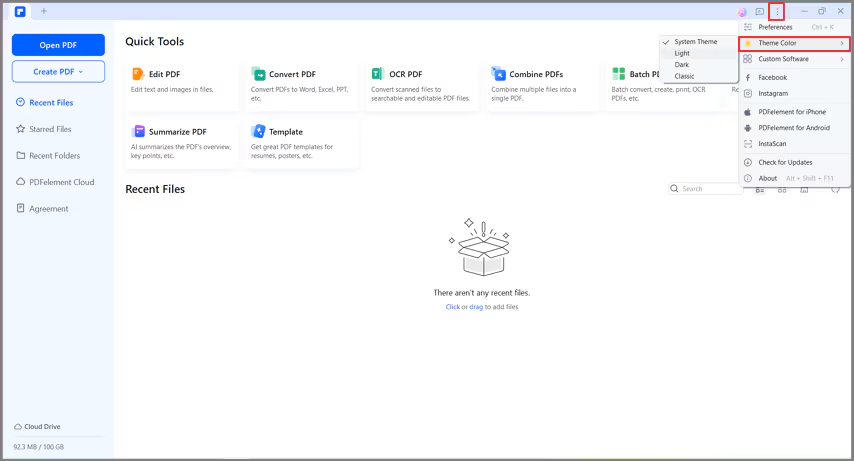
3. Change a Theme Color
After AULPDF is downloaded and installed, you can change its theme color if you like. There are three theme colors to choose from: Light, Dark, Classic.
- Select three-dot icon on the top right corner of the home interface.
- Select Theme Color and pick a color of your choice.